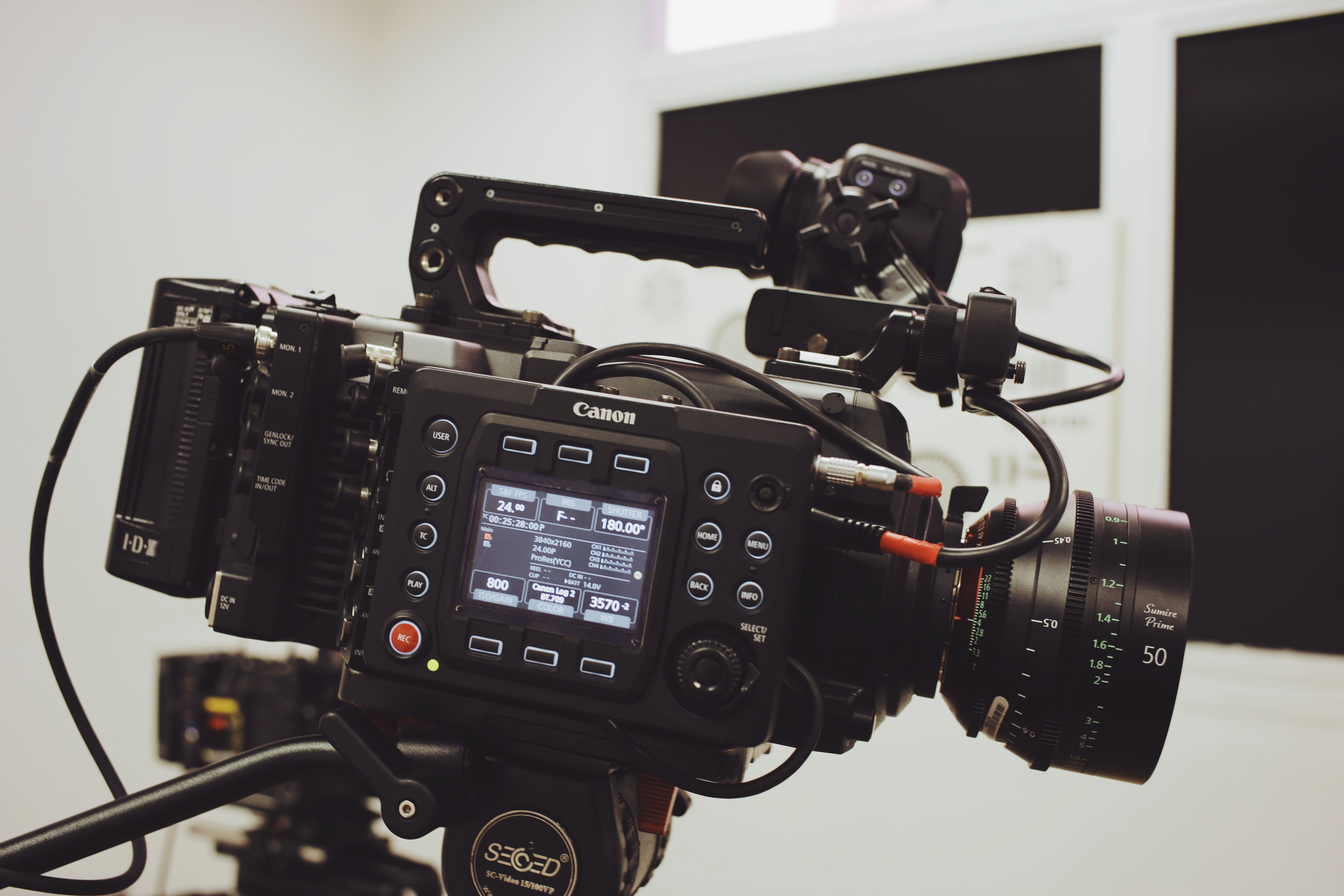
A professional HDMI cable is more than a simple display accessory. In camera rigs, monitors, recorders, live production systems, AV installations, and field production workflows, HDMI cables affect signal stability, image quality, equipment compatibility, and overall workflow reliability.
For professional buyers, the wrong HDMI cable can cause flickering screens, unstable monitoring, signal loss, loose connections, port stress, or production delays. This is especially important when HDMI cables are used with cinema cameras, mirrorless cameras, field monitors, video recorders, switchers, capture devices, and compact AV systems.
This guide explains how to choose a professional HDMI cable for demanding workflows and when a custom cable solution from Alvin’s Cables can help improve reliability.
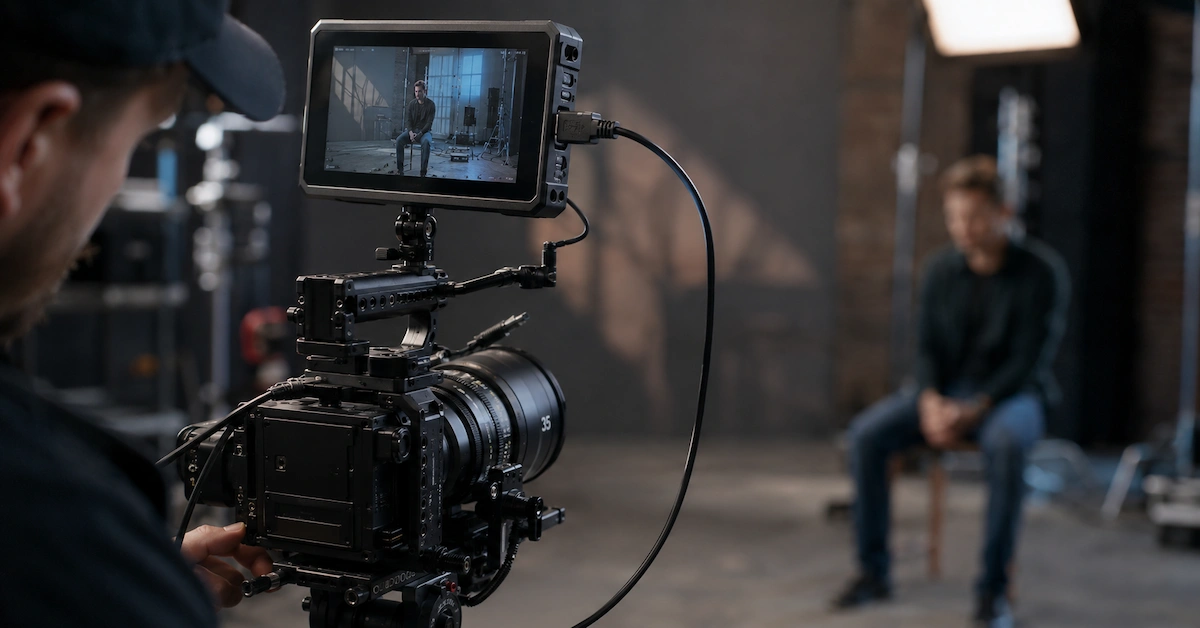
Quick Answer: What Is a Professional HDMI Cable?
A professional HDMI cable is designed for stable video transmission in production, broadcast, AV, and camera environments. Compared with basic consumer HDMI cables, it should offer better connector fit, stronger strain relief, suitable cable flexibility, stable signal performance, and application-specific cable length.
A professional HDMI cable is commonly used for:
- Camera-to-monitor connections
- Camera-to-recorder workflows
- On-camera monitor setups
- Field production kits
- Live streaming systems
- AV integration projects
- Video switchers and capture devices
- Rental house camera kits
- Compact cinema camera rigs
- Custom OEM cable sets
For B2B buyers, the goal is not only to find a cable that works. The goal is to find a cable that works repeatedly in real production environments.
Who Needs Professional HDMI Cables?
Different buyers need HDMI cables for different professional applications.
| Buyer Type | Main Requirement | Typical Use |
|---|---|---|
| Filmmakers | Stable monitoring signal | Camera to monitor or recorder |
| Camera assistants | Clean rig cable routing | Short HDMI cables for cages and rigs |
| Live streaming teams | Reliable video output | Cameras, switchers, capture cards |
| AV integrators | Stable installation quality | Meeting rooms, control rooms, displays |
| Rental houses | Durable repeat-use cables | Camera kits and monitor kits |
| Equipment distributors | Reliable resale products | HDMI cable SKUs and accessory bundles |
| OEM brands | Custom cable sets | Private label or bundled accessories |
| Content creators | Compact and flexible setup | DSLR, mirrorless, field monitor systems |
A professional HDMI cable should match the user’s equipment, working environment, and frequency of use.
Why Professional HDMI Cable Quality Matters
HDMI is widely used because it is convenient and common across cameras, monitors, recorders, computers, capture cards, and displays. However, HDMI connectors can be sensitive to movement and pulling force. In professional camera setups, cables are often bent, packed, adjusted, connected, and disconnected many times.
Common problems with low-quality HDMI cables include:
- Monitor flickering
- No signal message
- Image dropout during recording
- Weak connector grip
- Damaged HDMI ports
- Cable stiffness around camera cages
- Poor fit with monitor or camera body
- Signal instability at higher resolution
- Short service life under field use
- Inconsistent quality between batches
For professional users, these problems can cause more than inconvenience. They can delay production, affect live output, damage equipment ports, and increase replacement costs.
Key Factors When Choosing a Professional HDMI Cable
1. Signal Requirement
Before buying a professional HDMI cable, buyers should confirm the video format and device requirement. Different workflows may involve HD, 4K, high frame rate, HDR, or external recording.
Buyers should check:
- Camera model
- Monitor or recorder model
- Resolution requirement
- Frame rate
- Cable length
- HDMI connector type
- Whether the cable is used for monitoring, recording, streaming, or display
A cable should match the actual workflow, not only the connector shape.
2. HDMI Connector Type
HDMI cables can use different connector sizes. Choosing the wrong connector is a common sourcing mistake.
Common HDMI connector types include:
- Standard HDMI
- Mini HDMI
- Micro HDMI
- HDMI to HDMI
- HDMI to Micro HDMI
- HDMI to Mini HDMI
- Right-angle HDMI
- Coiled HDMI cable
- Custom HDMI cable assembly
Camera buyers should confirm the exact HDMI port on the device before placing an order. For example, many mirrorless cameras use Micro HDMI, while monitors or recorders may use Standard HDMI.
3. Connector Fit and Port Protection
Connector fit is one of the most important quality points. A loose connector can cause signal interruption. A bulky connector may interfere with a cage, monitor mount, or neighboring port.
Professional HDMI cable buyers should evaluate:
- Connector housing size
- Plug fit stability
- Gold-plated contact quality
- Strain relief design
- Right-angle direction
- Compatibility with camera cages
- Repeated plugging durability
For camera rigs, connector orientation is especially important. A right-angle HDMI cable may reduce port stress and make the setup cleaner.
4. Cable Length
Cable length affects both signal stability and usability. A cable that is too long creates clutter. A cable that is too short pulls on the camera or monitor port.
For camera rigs, short HDMI cables are often better because they reduce cable loops and avoid accidental pulling. For AV installations, longer cables may be required, but signal planning becomes more important.
Typical use cases include:
| Application | Recommended Cable Approach |
| Camera to on-camera monitor | Short, flexible HDMI cable |
| Camera cage setup | Right-angle or custom-length HDMI cable |
| Recorder connection | Stable connector and suitable length |
| Live streaming | Reliable HDMI to capture device connection |
| AV installation | Length planned by equipment distance |
| Rental kits | Multiple lengths with durable construction |
Custom length is valuable when the cable must fit a specific rig or installation layout.
5. Cable Flexibility
A professional HDMI cable should be flexible enough for real camera operation. A stiff cable can pull on the camera port, affect gimbal balance, or make the setup difficult to handle.
Flexible HDMI cables are useful for:
- Handheld camera rigs
- Mirrorless camera cages
- External monitors
- Gimbal systems
- Field production
- Documentary shooting
- Mobile live streaming
- Rental kits
The best HDMI cable should balance flexibility and durability.
6. Strain Relief
Many HDMI cable failures happen near the connector. This area receives bending, twisting, and pulling force. Reinforced strain relief helps protect the cable and reduce internal damage.
For professional use, strain relief is especially important because HDMI ports are often smaller and more vulnerable than locking connectors such as BNC.
A durable professional HDMI cable should reduce stress at the connector end and protect the equipment port.
7. Shielding and Signal Stability
Professional video environments may include wireless transmitters, power cables, LED lights, audio equipment, computers, switchers, and other electronic devices. These may create interference or signal instability.
Shielding helps improve signal reliability, especially in complex AV environments. For live production, streaming, or installation projects, signal stability should be treated as a core purchasing requirement.
Professional HDMI Cable vs Standard HDMI Cable
| Factor | Standard HDMI Cable | Professional HDMI Cable |
| Main use | Home display or simple office use | Cameras, monitors, AV systems, production |
| Connector durability | Basic | Stronger fit and better strain relief |
| Cable flexibility | Varies | Designed for routing and repeated use |
| Length options | Standard lengths | Standard or custom lengths |
| Application support | General | Camera, monitor, recorder, streaming, AV |
| Risk level | Acceptable for simple use | Lower risk for professional workflows |
| Best for | TV, laptop, basic display | Camera rigs, field production, AV integration |
For professional buyers, the value of a professional HDMI cable comes from reliability, not only signal transmission.
Common Applications of Professional HDMI Cables
Camera to Monitor
A professional HDMI cable is commonly used to connect cameras to external monitors. This setup helps filmmakers check focus, exposure, framing, and camera settings more clearly.
Camera to Recorder
External recorders often depend on stable HDMI output. If the cable is unstable, the recording workflow may be interrupted.
Live Streaming
Live streaming workflows may connect cameras to capture cards, switchers, or computers through HDMI. A poor cable can cause black screens or unstable video feed.
Gimbal and Handheld Rigs
Gimbal setups need lightweight and flexible HDMI cables. A stiff cable may affect balance and movement.
AV Integration
Meeting rooms, training rooms, control rooms, and display systems may use HDMI cables for stable video routing.
Rental House Kits
Rental houses need HDMI cables that can handle repeated use by different customers. Durability and consistent performance are important.
Field Production
Outdoor and mobile production environments require cables that are flexible, durable, and easy to manage.
How Alvin’s Cables Supports Professional HDMI Cable Buyers
Alvin’s Cables provides professional cable solutions for photography, film, broadcast, and industrial applications. For HDMI cable projects, buyers can choose standard cable products or request custom cable configurations based on specific equipment and working conditions.
Alvin’s Cables can support professional buyers with:
- Professional HDMI cable sourcing
- Custom HDMI cable length
- HDMI to Micro HDMI cable solutions
- HDMI to Mini HDMI cable solutions
- Right-angle HDMI cable customization
- Flexible HDMI cable for camera rigs
- HDMI cable assemblies for monitors and recorders
- Rental house cable kits
- OEM and low-volume custom cable projects
- Professional AV cable solutions
Buyers can explore available cable products through the Alvin’s Cables product center. For connector, length, routing, shielding, or custom HDMI cable requirements, visit custom cable solutions.
What Information Should Buyers Provide?
To receive a suitable recommendation or quotation, buyers should prepare clear project details.
| Information Needed | Why It Matters |
| Camera model | Confirms HDMI port type |
| Monitor or recorder model | Confirms connector and signal requirement |
| HDMI connector type | Standard, Mini, Micro, right-angle |
| Cable length | Affects routing and usability |
| Connector orientation | Reduces port stress |
| Resolution requirement | Helps match signal performance |
| Application environment | Studio, field, rental, live streaming, AV |
| Quantity | Supports prototype, small batch, or bulk order |
| Flexibility requirement | Helps select cable structure |
| Packaging need | Important for distributors and OEM buyers |
Buyers can submit requirements through the request a quote page.
How to Choose a Professional HDMI Cable Supplier
A strong supplier should understand professional camera and AV workflows, not only cable specifications.
Use this checklist:
- Can the supplier confirm HDMI connector compatibility?
- Can they support standard, Mini, and Micro HDMI needs?
- Can cable length be customized?
- Can connector orientation be adjusted?
- Is the cable flexible enough for camera rigs?
- Is strain relief reinforced?
- Can the cable support the required video format?
- Can the supplier support small-batch testing?
- Can they supply consistent quality for rental or distributor orders?
- Can they provide technical communication before production?
A good supplier helps buyers avoid wrong connector selection, port stress, and unstable signal issues.
Cost and Risk Considerations
Cheap HDMI cables may work in simple indoor display use, but professional production has higher risk. A cable that fails during a shoot, live stream, or AV installation can create hidden costs.
Possible risks include:
- Lost signal during recording
- Monitor flickering
- Live streaming interruption
- Production delay
- Replacement cost
- Damaged camera or monitor port
- Customer complaints
- Rental kit failure
- Extra technical support
- Reduced buyer confidence
For B2B buyers, professional HDMI cable quality directly affects long-term reliability and customer satisfaction.
Internal Links for Buyers
To understand Alvin’s Cables’ professional background, visit About Alvin’s Cables. To browse available products, visit the product center. For custom HDMI cable length, connector direction, flexibility, shielding, or rig routing needs, visit custom cable solutions. To submit project details and request pricing, use the request a quote page. For custom order, lead time, shipping, and support questions, visit the FAQ page.
FAQ
1. What is a professional HDMI cable?
A professional HDMI cable is designed for reliable video transmission in camera, monitor, recorder, streaming, and AV production workflows.
2. What is the difference between standard HDMI and professional HDMI cable?
A professional HDMI cable usually offers better connector fit, stronger strain relief, improved durability, suitable flexibility, and application-specific cable length.
3. Can HDMI cables be customized?
Yes. HDMI cables can be customized by connector type, cable length, connector orientation, flexibility, and application requirement.
4. What HDMI connector types are used in cameras?
Common camera HDMI connector types include Standard HDMI, Mini HDMI, and Micro HDMI. Buyers should confirm the exact port type before ordering.
5. Why does HDMI connector orientation matter?
Connector orientation affects cable routing and port stress. A right-angle HDMI cable may be better for camera cages and compact rigs.
6. What cable length is best for camera monitors?
Short, flexible HDMI cables are usually better for on-camera monitors because they reduce clutter and protect ports.
7. Can professional HDMI cables be used for live streaming?
Yes. Professional HDMI cables are commonly used to connect cameras to capture cards, switchers, and streaming systems.
8. Are professional HDMI cables suitable for rental houses?
Yes. Rental houses need durable HDMI cables that can handle repeated use, packing, and different customer workflows.
9. What information is needed for a custom HDMI cable quote?
Provide camera model, monitor or recorder model, connector type, cable length, connector direction, quantity, and application environment.
10. How do I request a professional HDMI cable solution?
Submit your requirements through Alvin’s Cables’ request a quote page and include your device model, connector type, length, quantity, and usage scenario.
Conclusion
A professional HDMI cable is an important part of camera, monitor, recorder, streaming, and AV workflows. For professional users, cable quality affects signal stability, port safety, cable routing, and long-term reliability.
B2B buyers should evaluate connector type, connector fit, cable length, flexibility, strain relief, shielding, application environment, and supplier capability before sourcing HDMI cables. For special camera rigs, rental kits, OEM projects, and AV installations, custom HDMI cable solutions can provide better compatibility and lower long-term risk.
Alvin’s Cables supports standard and custom HDMI cable solutions for professional cameras, monitors, recorders, streaming systems, and AV projects. For professional HDMI cable sourcing or custom development, contact Alvin’s Cables to discuss your requirements.